

Useful Travel Tools/Apps
A handy collection of travel websites and apps for flights, stays, navigation, transport, itinerary planning, money conversion, and weather.
- Use flight search tools first to compare routes and flexible dates.
- Pair maps + transit + itinerary apps to plan each day more efficiently.
- Check currency and weather before booking or packing.
- Open tools in a new tab so you can compare options side by side.
Smart Ways to Use Travel Tools & Apps Together
Travel tools work best when you use them as a system rather than relying on just one app. A flight search engine helps you find the best route, but pairing it with a map app, a weather forecast, and an itinerary planner gives you a much smoother trip from start to finish. Instead of hopping between random tabs each time you travel, it helps to build a simple workflow you can reuse for every destination.
1. Start with flights and timing
Begin by checking route options with tools like Google Flights, Skyscanner, or KAYAK. Look at nearby airports, flexible date views, and total travel time—not just ticket price. A cheaper fare can sometimes cost more once you factor in long layovers, airport transfers, baggage fees, or poor arrival times.
2. Book accommodation based on location, not only price
Booking.com and Airbnb are great for comparing prices, but the smarter move is to open the area in Google Maps before you book. Check how close the property is to transit, walkable neighborhoods, restaurants, and the places you actually plan to visit. A slightly more expensive hotel in the right area can save time, taxi costs, and frustration every single day.
3. Use transport tools before you arrive
Rome2Rio, Omio, and Trainline are especially useful when your trip involves trains, buses, ferries, or multi-city planning. They help answer the practical questions travelers often leave too late: How do I get from the airport to the city center? Is the train faster than flying? Can I do this as a day trip? Figuring this out early helps you avoid awkward transfers and wasted travel days.
4. Build a lightweight itinerary
Tools like TripIt and Wanderlog are excellent for keeping confirmations and daily plans in one place. You do not need to over-plan every hour. A better approach is to group each day into a few anchors: where you are going, how you are getting there, and one or two backup ideas. This gives you structure without making the trip feel rigid.
5. Don’t ignore money, weather, and food
XE helps you avoid bad currency assumptions, especially in countries where exchange rates shift or tourist pricing is common. AccuWeather helps you pack properly and avoid losing half a day to rain or strong wind. And food-focused apps like HappyCow or review platforms like Tripadvisor save time when you are tired, hungry, or trying to find reliable places nearby.
6. Best practice tips for smoother travel
- Save hotel, airport, and key places in Google Maps before you leave.
- Take screenshots of booking confirmations in case you lose signal.
- Keep one app for planning, one for navigation, and one for bookings—don’t overcomplicate it.
- Open booking and transport tools in separate tabs so you can compare options side by side.
- Double-check cancellation policies and check-in times before paying.
- Use weather and transit apps the night before each travel day, not only once at the start of the trip.
The main goal is not to use every travel app available. It is to choose a small set of tools that cover search, booking, navigation, and daily planning well. When those pieces work together, travel feels easier, faster, and much less stressful.
Related Tours/Services
Popular Routes
Recent Routes
- How to get from Kotor Cruise Port to Budva
- How to get from Dubrovnik Gruz Cruise Port to Dubrovnik Old Town
- How to get from Dublin Dun Laoghaire Cruise Port to Dublin City Centre
- How to get from Yokohama Daikoku Cruise Terminal to Tokyo Station
- How to get from Puerto Princesa Cruise Port to Underground River
- How to get from Adelaide Outer Harbor Cruise Terminal to Adelaide City Centre
- How to get from Port Louis Cruise Terminal to Flic en Flac
- How to get from Durban Cruise Terminal to uShaka Marine World
- How to get from Walvis Bay Cruise Port to Swakopmund
- How to get from PortMiami Cruise Terminal to Miami International Airport
Top Travel Gears
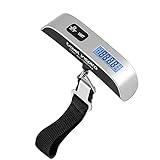
travel inspira Luggage Scale Digital Suitcase Weight Scale for Travel | Blue Backlight, Rubber Paint Handle, Tare & Data Lock, Auto-Off, Battery Included, 110 Pounds, Travel Essentials

LISEN Airplane Travel Essentials kitchen Tool Airplane Phone Holder Desk | Home & Kitchen Tools (Cookbook Stands) Phone Stand MagSafe Travel Accessories Flying Long Flight Travel Tech Gifts for Men

DUDE Wipes Unscented Pocket Packs, Adult Flushable Travel Wipes, 48 Count | 6 pocket sized packs of 8 flushable butt wipes. Travel essentials. Hypoallergenic and fragrance free with aloe. Septic safe.

FYY Electronic Organizer, Travel Tech Pouch Bag, Cable Organizer Black | Wrist Strap, Waterproof, Double Layers Portable Electronics Travel Carrying Case for Cord, Charger, Daily Business Trips Use
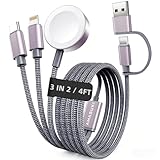
2026 Travel Essentials for Apple Watch Charger,Cruise Vacation Camping Essentials,iPhone Charger,Multi Charging Cable,3 in 2 Charging Docks for iWatch Series 12 11-2/Ultra,iPhone 18 17-12,Car
