

How to get from Miami Airport to Downtown Miami

Landing at Miami International Airport (MIA) and heading to Downtown Miami (Government Center, Brickell, Bayside/Omni, or MiamiCentral)? Here are the simplest ways to do it—what they cost, how long they take, and exactly where to go at the airport.
At A Glance (Miami Airport to Downtown Miami)
| Mode | Duration | Best For |
|---|---|---|
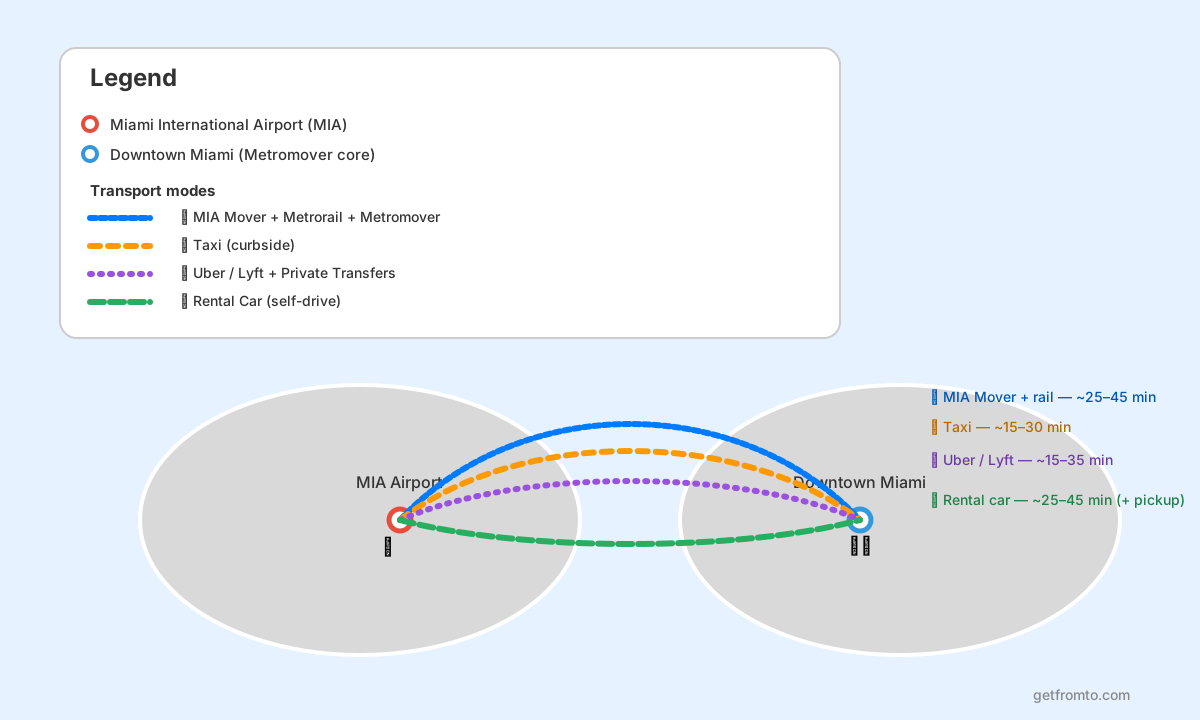
| 🚆 MIA Mover + Metrorail + Metromover | ~25–45 min (time-of-day dependent) | Solo travelers, light luggage, best value |
| 🏷️ Cost: ~$2.25 one-way on Metrorail (Metromover is free) | » fares & payment | ||
| 🚖 Taxi (curbside, no app) | ~15–30 min (traffic-dependent) | Door-to-door simplicity, families |
| 🏷️ Cost: typically ~$25–$40+ to Downtown/Brickell (metered + minimum fare rules) | » official taxi info | ||
| 📱 Uber/Lyft + Private Transfers | ~15–35 min | Flexible pickup, groups, late arrivals |
| 🏷️ Cost: usually ~$20–$60+ (surge possible) | » pre-book transfer | alt. quotes | ||
| 🚗 Rental Car (self-drive) | ~25–45 min + pickup time | Day trips, Everglades/Keys plans, lots of stops |
| 🏷️ Cost: daily rates vary; add tolls/parking » compare rental cars | ||
Which Option or Route Should You Choose?
- Fastest (often): Taxi or Uber/Lyft when trains are running but traffic is light.
- Most economical: MIA Mover + Metrorail + Metromover for a low fixed fare and predictable routing.
- Most convenient for groups & heavy luggage: Pre-booked private transfer (meet-and-greet options) or a roomy rideshare.
- Most flexible if you’re exploring beyond Downtown: Rental car (Keys/Everglades or multiple stops).
How to Book and Practical Tips
- Know your Downtown target: Government Center (core Downtown transit hub), Brickell (financial district), Omni/Bayside, or MiamiCentral. Public transit is easiest via Government Center + Metromover.
- Rush-hour reality: Weekday peaks can double drive times. If you land during heavy traffic, the Metrorail route is often steadier.
- Paying for transit: Metrorail uses EASY Ticket/EASY Card, contactless payment, or the GO Miami-Dade Transit app (cash is not accepted at fare gates). Metromover is free.
- Late-night arrivals: Check rail service hours; if you land near closing, use Uber/Lyft or a pre-booked transfer.
- Traveling with bags: If you want to explore Downtown before hotel check-in, consider luggage storage via luggage storage in Miami.
🚆 Option #1 — MIA Mover + Metrorail + Metromover (Best Value)
Cheapest No traffic Some walking
- Overview: Take the free MIA Mover to the Miami Intermodal Center (Airport Station), ride the Metrorail Orange Line to Government Center (Downtown), then connect to the free Metromover for Brickell/Omni/Bayside-area stops.
- Typical duration: ~25–45 minutes to Government Center (add ~5–15 minutes to reach your final Downtown stop via Metromover or walking).
- How to pay (with price): Metrorail is typically $2.25 per trip and can be paid with contactless at the fare gates or EASY Ticket/EASY Card; Metromover is free. Check current payment options on Metrorail and Metromover.
- Pros: Low cost, reliable during traffic, easy access to Downtown transit loop. Cons: Not door-to-door; can be crowded at peaks; less convenient with very bulky luggage.
Step-by-step: Metrorail + Metromover
- After baggage claim: Follow airport signs for Ground Transportation and MIA Mover (free). If you need help, the airport’s Public Transportation page shows where the connections are.
- Ride the MIA Mover to the Miami Intermodal Center / Miami Airport Station.
- Buy/validate your fare (EASY Ticket/EASY Card, contactless, or app) and enter the fare gates for the Orange Line toward Downtown.
- Exit at Government Center (Downtown). If your destination is Brickell/Omni/Bayside, follow signs to the Metromover and take the loop that matches your area.
- Final walk: Most Downtown hotels/attractions are a short walk from a Metromover stop.
Getting to the main embarking points (MIA Mover & Miami Intermodal Center)
- From any terminal: Go to the airport’s 3rd level (between the Dolphin & Flamingo garages) to access the MIA Mover walkway and station; signs throughout the terminal guide you.
- Ticketing: EASY Card/Ticket vending machines are available at the transit station; fare gates do not accept cash.
- Downtown connection tip: If you’re heading to Brickell, plan to connect at Government Center to the Brickell Loop on Metromover (free).
- Locations/Trip Planner: 🔗 Google Map / 🔗 OpenStreetMap
🚖 Option #2 — Taxi (Most Convenient Without an App)
Door-to-door No booking Traffic-dependent
- Overview: Licensed taxis queue at the airport—walk out of baggage claim and join the official taxi line. Great if you want the simplest curb-to-hotel ride.
- Typical duration: ~15–30 minutes to most Downtown/Brickell addresses (longer in rush hour or during events).
- How it’s priced (ballpark): Metered fares plus airport minimums; many trips to Downtown/Brickell land around $25–$40+ depending on exact drop-off and traffic. See pickup zones and taxi rules on Taxis & Ride App.
- Pros: Easy, no app/data needed, predictable process. Cons: Can cost more than rail; traffic and wait times vary.
Step-by-step: Taxi from MIA
- Exit baggage claim to the Arrivals (ground) level curb.
- Follow signs for the official taxi queue and take the next available cab (avoid solicitations inside the terminal).
- Tell the driver your destination (Downtown area: Government Center, Brickell, Bayside, Omni, or your hotel name).
- Pay at the end (card acceptance varies; confirm before departure if you prefer card).
Getting to the main embarking points (Taxi pickup zones)
- Pickup location: Taxi pickup zones are on the Arrivals (ground) level outside baggage claim.
- Good to know: There is a minimum fare for trips originating at MIA and metered pricing rules apply.
- Locations/Trip Planner: 🔗 Google Map / 🔗 OpenStreetMap
📱 Option #3 — Uber/Lyft + Pre-Booked Private Transfers (Most Flexible)
Flexible Good for groups Surge pricing
- Overview: Use Uber or Lyft for on-demand rides, or pre-book a fixed-price transfer for meet-and-greet convenience—ideal if you want a driver waiting, have lots of luggage, or arrive late.
- Typical duration: ~15–35 minutes to Downtown (plus pickup/wait time).
- How to book (with price): Request a ride in-app (prices vary with demand). For pre-booked cars, compare fixed-price options via pre-book transfer or request quotes on GetTransfer.
- Pros: Door-to-door, multiple vehicle sizes, convenient payment in-app. Cons: Surge pricing during peak times; pickup zones can be busy.
Step-by-step: Uber/Lyft pickup at MIA
- Connect to Wi-Fi/data and request your ride when you’re ready to head out.
- Follow in-app instructions to the designated pickup zone for your terminal/door (official pickup guidance is linked from the airport’s Ground Transportation page).
- Match vehicle + plate before entering. If you’re traveling with a group or bags, choose a larger vehicle type.
- Alternative (pre-book): If you prefer a confirmed price/driver, book ahead with Welcome Pickups or compare bids on GetTransfer.
- Arrival tip: For Brickell, ask to be dropped near a Metromover stop if your building/hotel is inside the loop and traffic is heavy.
Getting to the main embarking points (Ride App pickup zones)
- Pickup location: Ride app pickup zones are on the Arrivals (ground) level outside baggage claim areas; follow terminal signage and in-app directions.
- Ride-hailing alternatives: In Miami, the main ride-hailing apps are Uber and Lyft. If you want a pre-booked ride with a driver waiting, use Welcome Pickups or GetTransfer.
- Locations/Trip Planner: 🔗 Google Map / 🔗 OpenStreetMap
🚗 Option #4 — Rental Car (Best for Day Trips & Multi-Stop Plans)
Maximum freedom Great for exploring Parking costs
- Overview: If you’re heading beyond Downtown (Keys, Everglades, beach hopping, outlet shopping), a rental car can make sense—just budget for Downtown parking and possible tolls.
- Typical duration: ~25–45 minutes to Downtown once you have the car (pickup time varies by line and company).
- How to book (with price): Compare rates and companies on rental cars (filter by Miami International Airport pickup). Consider booking early for weekends/holiday travel.
- Pros: Total flexibility; easy for families; good for longer stays. Cons: Downtown traffic and parking can be pricey; tolls may apply; hotel parking fees add up.
Step-by-step: Picking up a rental car at MIA
- Reserve your car online (look for flexible cancellation and clear fuel policies).
- Take the free MIA Mover from the terminals to the Rental Car Center (details on the airport’s Ground Transportation page).
- Complete pickup at your rental counter (driver’s license + card; check deposit requirements).
- Drive to Downtown using your preferred navigation app; keep an eye on toll routes if you want to avoid tolls.
- Parking plan: If your hotel charges high parking, consider a nearby public garage and walk/Metromover for short trips.
Getting to the main embarking points (MIA Rental Car Center)
- Where it is: The MIA Rental Car Center is connected to the terminals by the free MIA Mover.
- Time saver: Join your rental program (if available) and keep your confirmation handy to speed up pickup.
- Locations/Trip Planner: 🔗 Google Map / 🔗 OpenStreetMap
FAQ (Miami Airport to Downtown Miami)
What’s the easiest way to get from Miami Airport to Downtown Miami?
For most travelers, MIA Mover + Metrorail to Government Center is the easiest low-cost route, then use the free Metromover for Brickell/Omni/Bayside stops.
How long does the Metrorail route take?
Typically ~25–45 minutes to Government Center, plus extra time if you continue by Metromover or on foot.
Is the Metromover really free?
Yes—Metromover is a free elevated people mover operating in Downtown/Brickell/Omni areas.
Where do taxis and ride apps pick up at MIA?
Pickup zones are on the Arrivals (ground) level outside baggage claim areas. Use the airport’s signage and in-app directions.
Taxi vs Uber/Lyft: which is better?
If you want a simple queue and clear process, choose taxi. If you want price estimates, vehicle choice, and cashless payment, choose Uber/Lyft. During peak times, compare both—rideshare can surge.
Can I store luggage in Downtown if I arrive before check-in?
Yes—use a luggage storage network like luggage storage in Miami to explore hands-free.





Related Tours/Services
Popular Routes
Recent Routes
- How to get from PortMiami Cruise Terminal to Miami International Airport
- How to get from Samarkand to Bukhara
- How to get from Bell Tower (Xi’an) to Xi’an North Railway Station
- How to get from Canal City Hakata to Hakata Station
- How to get from Rialto Bridge (Venice) to Venezia Santa Lucia Station
- How to get from Florence Cathedral (Duomo) to Firenze Santa Maria Novella Station
- How to get from Nice to Paris
- How to get from Ribeira District (Porto) to Porto Campanhã Station
- How to get from Anne Frank House to Amsterdam Sloterdijk Station
- How to get from Buckingham Palace to London Victoria Station
Top Travel Gears

DUDE Wipes Unscented Pocket Packs, Adult Flushable Travel Wipes, 48 Count

zelin Anti Theft Zipper Clips, Travel Essentials, Carabiner, 4Pcs Grey

INIU 10000mAh 45W Fast Charging Portable Charger, Smaller Travel Power Bank | Flight-Safe, Detachable USB C Cable, Travel Essential, External Battery Phone Pack for iPhone 18 17 Samsung iPad etc
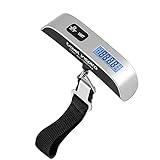
travel inspira Luggage Scale Digital Suitcase Weight Scale for Travel
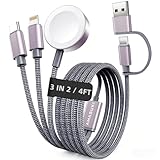
2026 Travel Essentials for Apple Watch Charger,Cruise Vacation Camping Essentials,iPhone Charger,Multi Charging Cable,3 in 2 Charging Docks for iWatch Series 12 11-2/Ultra,iPhone 18 17-12,Car
